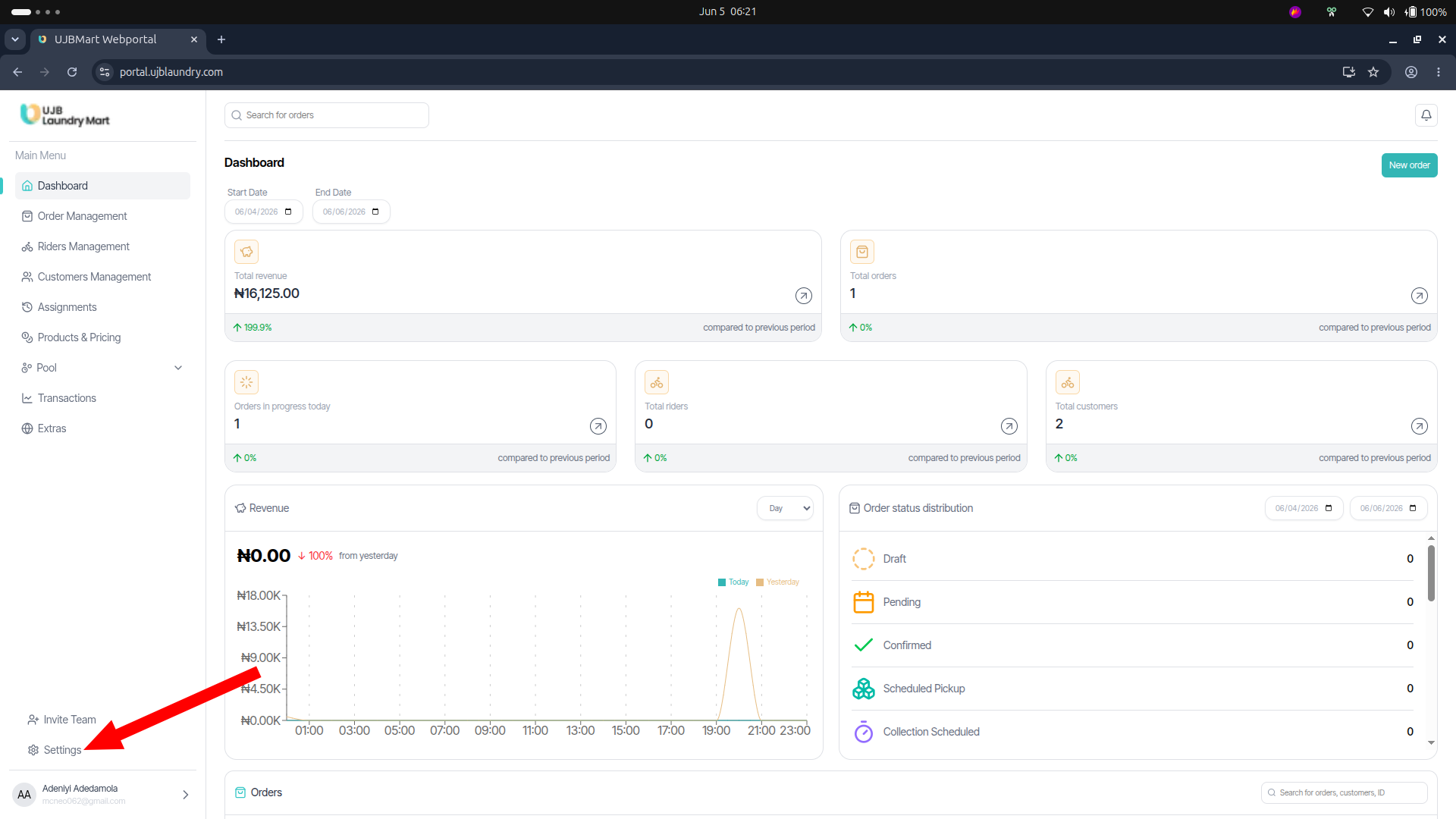
Global Settings
a. Account Settings
Modify or update your personal administrative identity details, including your default Username, primary Email, and active Phone Number.
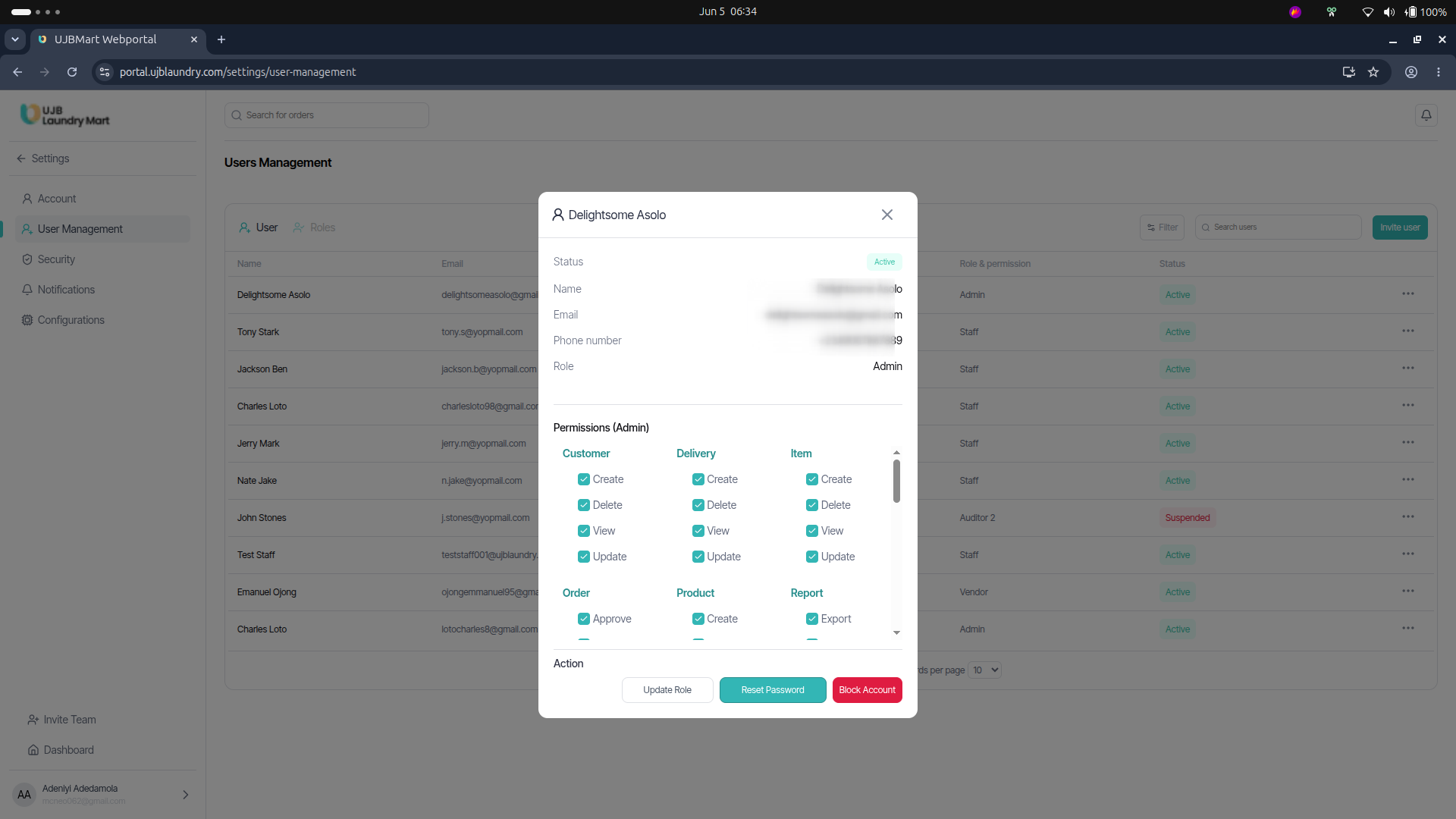
b. User Management & Permission Mapping
This control room allows Super Admins to define exactly what staff members can see and do. Click on an individual's user record to map granular permissions across system modules (Customer, Delivery, Order, Rider, Product) by checking or unchecking specific action rights:
- Create (Ability to add assets)
- Read (Ability to view data panels)
- Update (Ability to edit existing records)
- Delete (Ability to remove records)
c. Security
Manage your operational credentials by configuring Password Reset requests and toggling Two-Factor Authentication (2FA) for enhanced account security.
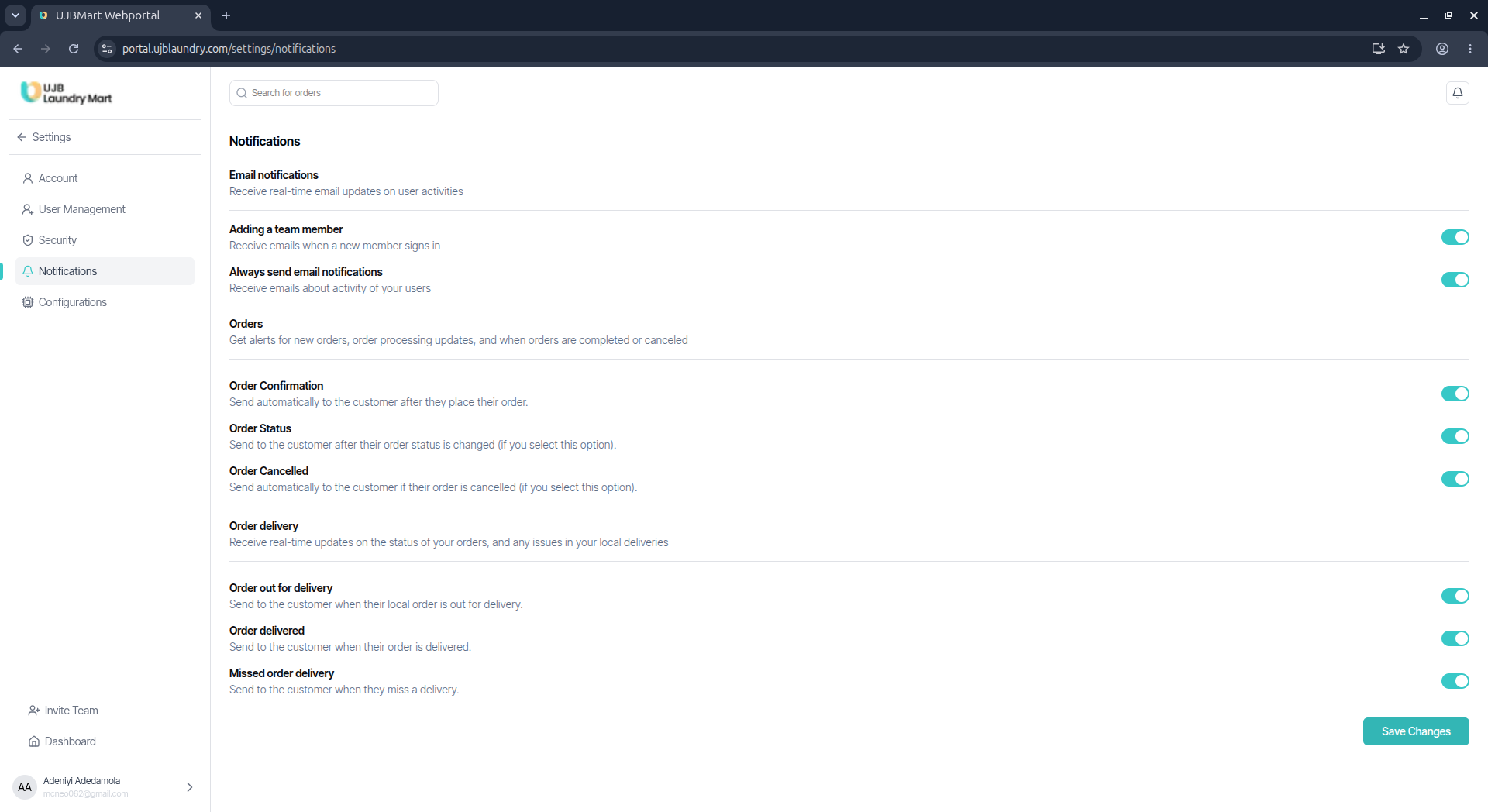
d. Notification Configurations
Fine-tune global automation rules by toggling email and push notification rules on or off for critical workflow triggers, including:
- Order Confirmation, Order Status Updates, Order Cancellations
- Out for Delivery, Order Delivered, and Missed Order Delivery alerts
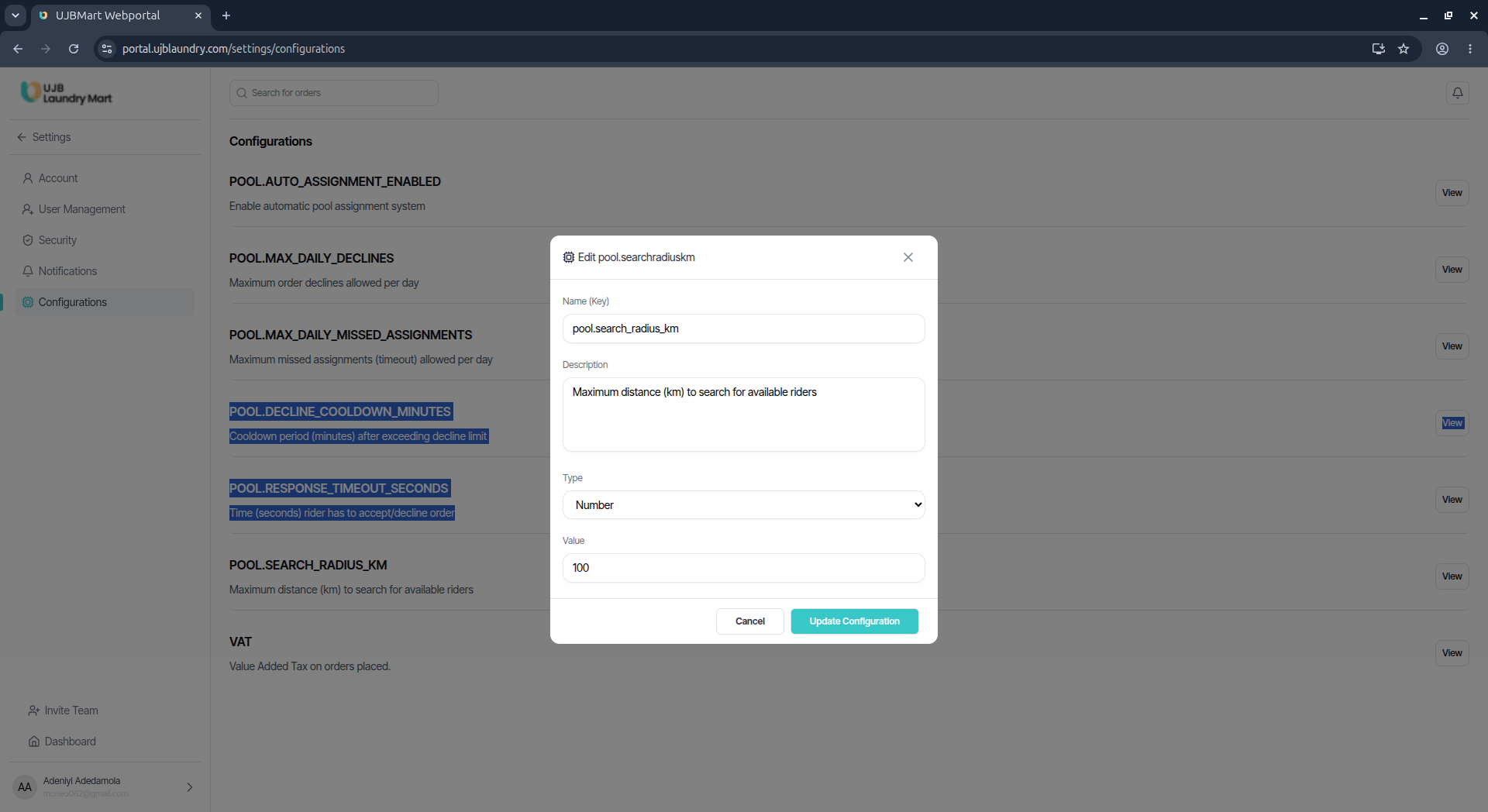
e. System Configurations
This section defines the mathematical and geographical rules governing the automated matching pool and tax structures. Admins can click View to modify specific variables:
| Configuration KeyDefinition / Usage | POOL_AUTO_ASSIGNMENT_ENABLED |
|---|---|
| POOL_AUTO_ASSIGNMENT_ENABLED | Toggles whether the automated order routing engine is active or if orders must be assigned manually. |
| POOL_MAX_DAILY_DECLINES | Sets the maximum number of assignment declines a rider can make in a day before facing automatic throttling or penalties. |
| POOL_MAX_DAILY_MISSED_ASSIGNMENTS | Sets the number of missed assignment timeouts allowed before a rider is flagged. |
| POOL_DECLINE_COOLDOWN_MINUTES | Establishes the cooldown lock period imposed on a rider after rejecting an assignment. |
| POOL_RESPONSE_TIMEOUT_SECONDS | The specific countdown window a rider has to accept an order before it times out and shifts to another operator. |
| POOL_SEARCH_RADIUS_KM | Defines the maximum radius boundary (in meters/kilometers) the backend scanning algorithm uses to search for available riders around an order origin. |
| VAT | Configures the standard Value Added Tax percentage automatically computed at client checkout. |